Exxo Studio: Free Carton Tools
Exxo Studio is two free tools that run in your browser. Pack Fit works out the carton size for your product and quantity. Carton Studio shows that carton in 3D so you can place your logo and artwork. Then you send the result to us for a quote.
The two tools
Enter your product size and how many go in a carton. Get a recommended carton size and see how it packs.
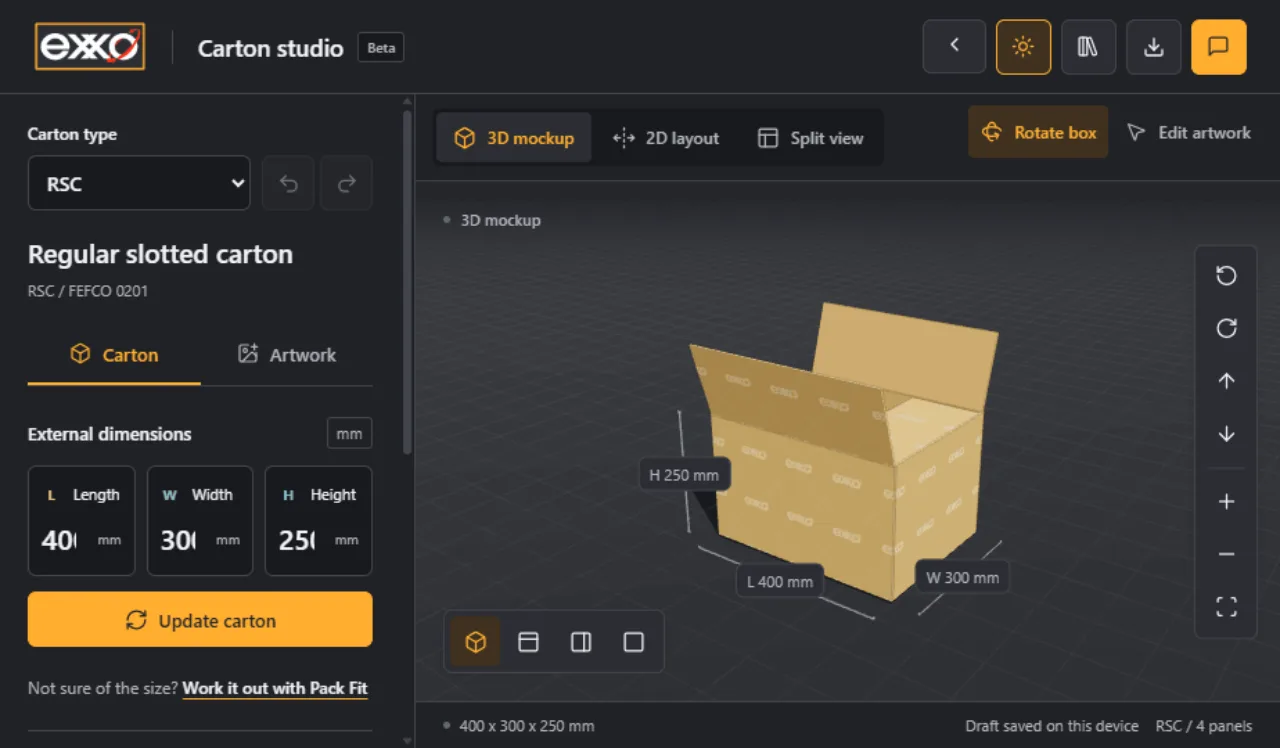
Carton box design tool (Carton Studio)→Preview your carton in 3D, check the flat layout and place your logo and artwork on each panel.
How do I work out what size carton I need?
Measure one product in millimetres, decide how many go in each carton, and Pack Fit recommends a carton size and shows how the products stack inside.
Read more on the carton size calculator page, or open Pack Fit.
Can I see my carton design before I order?
Yes. Carton Studio shows your carton in 3D, folds the flaps open and closed, and lets you place your logo and artwork on each panel.
Read more on the carton box design tool page, or open Carton Studio.
How do I send my design for a quote?
Download the enquiry package from Carton Studio and send it to us by email or WhatsApp. We send quotes within 30 minutes during office hours.
The package holds your carton size, style and artwork. Carton Studio also writes the enquiry text for you to paste into your message. Our WhatsApp is 012-918 2133.
Do the tools cost anything?
No. Both tools are free and run in your web browser.
Use them as often as you like to try sizes and designs before you talk to us.
What should I check with Exxo before ordering?
Carton strength and board grade. Pack Fit checks fit by size only, so we confirm the right board when we quote.
Tell us what the product weighs, how high the cartons are stacked and how they travel. See single wall vs double wall cartons and carton flute types for the options. Printed cartons are flexo printed in up to 4 colours, and free plain samples are available to check the size and fit before you commit.
Have a carton size or design ready?
Send it to us with your quantity. We send quotes within 30 minutes during office hours.